Ravi GrowthGet Started
Claude
ChatGPT vs Claude: Which One Should a Small Business Use?
Search for this question and you will find strong opinions. One camp swears by ChatGPT, another by Claude, and both change their minds every few months as the tools update. For a small business owner that noise is useless.
A better question is: which tool works better for the jobs I actually do? You can answer that yourself in one afternoon. This guide shows how, and gives our simple recommendation at the end.
A note on facts: both products update often. Models, features, limits and prices change. Anything about plans in this article should be checked on the official pages of OpenAI (ChatGPT) and Anthropic (Claude) before you decide.
What each tool is
ChatGPT is an AI assistant from OpenAI. It handles text, can work with files and images, and offers extra features that vary by plan.
Claude is an AI assistant from Anthropic. It is known for handling long documents and for natural, careful writing.
Both can write, summarise, brainstorm, explain and answer questions. Both can be wrong. Both need a human check. The differences show up in the details of your own tasks.
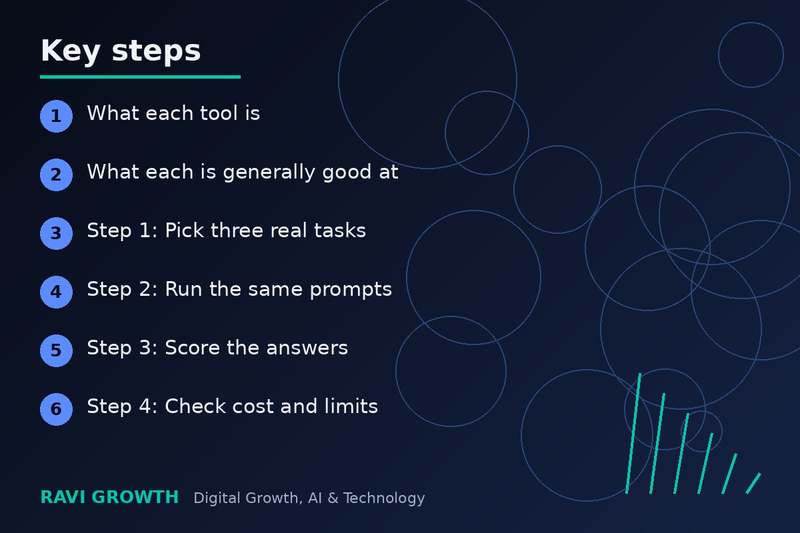
What each is generally good at
These are general impressions, not guarantees, and they shift with each update. Your own test matters more.
- ChatGPT: wide range of features, large user community, many ready-made tutorials, and a broad set of tools depending on your plan.
- Claude: long-document reading, a calm and natural writing style, and careful, structured answers.
Treat this list as a hypothesis to test, not a verdict.
Step 1: Pick three real tasks
Choose jobs from your own week, not demos. A good set:
- A writing task. Example: a reply to a difficult customer email.
- A reading task. Example: summarise a supplier agreement or a long report (with sensitive data removed).
- A thinking task. Example: plan next month's offers or compare two suppliers.
Write the exact prompt for each task in a document. Use the same words in both tools.
Step 2: Run the same prompts
Open both tools. Paste prompt one into each. Do not tweak the prompt for one tool and not the other. Save both answers side by side. Repeat for tasks two and three.
For a fair test:
- Use the same plan level where possible, or note the difference.
- Run each task once, then do one follow-up edit in each.
- Do not look at the tool names while scoring. Copy answers into a document labelled A and B, and score them before you reveal which is which.
Step 3: Score the answers
Use a simple scorecard. Rate each answer from 1 to 5.
| Question | Tool A | Tool B |
|---|---|---|
| Is it accurate on the facts I gave? | ||
| Did it follow my instructions (length, tone, format)? | ||
| Does it sound like me, or can I make it sound like me quickly? | ||
| Did it invent anything? | ||
| How much editing did it need? | ||
| How was the follow-up edit? |
Add the scores. Note comments such as "too wordy" or "missed the second point".
Step 4: Check cost and limits
Prices and limits change often, so check the current plan pages. Compare:
- Free options. What can you do for free, and what are the usage limits?
- Paid plans. Monthly price in rupees or dollars, and what you get.
- Usage limits. How many messages or files before you are slowed down.
- File upload rules. Types and sizes you need.
- Data and privacy controls. Whether you can switch off use of your chats for training, and what business plans offer.
- Team features. If you have staff, what sharing and admin options exist.
Add up what you would really pay. Do not buy an annual plan before a month of testing.
Step 5: Consider the practical things
Beyond answer quality:
- Ease of use. Which one do you and your team actually enjoy opening?
- Integrations. Does it work with the tools you already use?
- Languages. Test your regional language if you serve customers in it.
- Speed. A fast tool gets used more.
- Support and reliability. Is there help when something breaks?
Our simple recommendation
For most small businesses:
- Start with one tool. Pick whichever scored higher on your three tasks. Use it daily for a month.
- Add the second only if you find a clear gap, for example long documents handled better in one of them.
- Use the free plan first. Upgrade only when limits get in your way.
- Write down your best prompts. They work in either tool, so you are not locked in.
- Never put private customer data into either without checking the privacy settings.
Many people end up using both: one for everyday drafting and one for long documents. That is fine and costs little if you stay on free plans.
Mistakes to avoid when choosing
- Following the loudest opinion online. Test your own tasks.
- Judging from one answer. AI answers vary. Try each task twice.
- Comparing different prompts. Use identical wording.
- Paying before testing. Try free tiers first.
- Ignoring privacy settings. Check them in both.
- Switching constantly. Pick one, learn it, and review every quarter.
A one-page test plan
- Choose three real tasks and write the prompts.
- Run each in both tools.
- Label answers A and B, and score them blind.
- Check current prices, limits and privacy controls.
- Choose one tool for one month.
- Review: time saved, edits needed, mistakes caught.
- Decide whether to add the second.
Quick summary
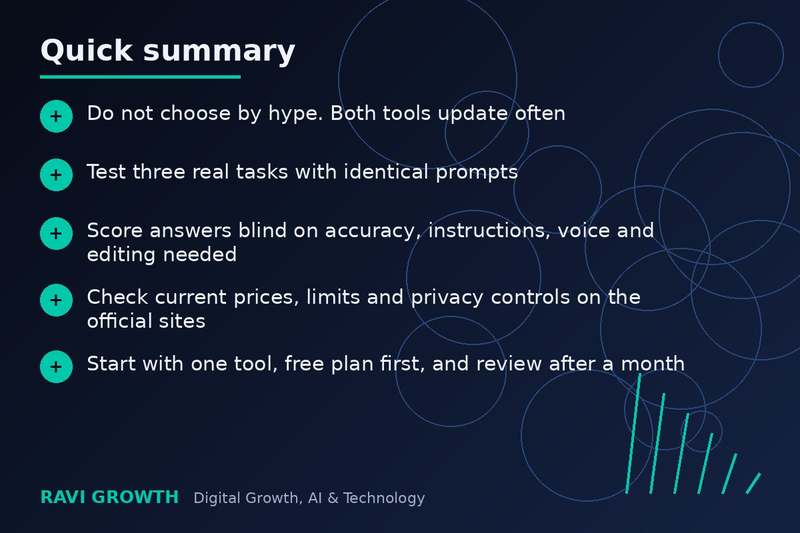
- Do not choose by hype. Both tools update often.
- Test three real tasks with identical prompts.
- Score answers blind on accuracy, instructions, voice and editing needed.
- Check current prices, limits and privacy controls on the official sites.
- Start with one tool, free plan first, and review after a month.
Frequently asked questions
Which is better for writing? It depends on your taste and task. Test both with the same prompt.
Which is cheaper? Check the current plan pages. Both offer free and paid options that change over time.
Can I use both? Yes. Many people do, for different jobs.
Which is safer for my data? Neither is safe if you paste sensitive data carelessly. Read each provider's current privacy terms and settings.
Ravi Growth can help your team choose and set up AI tools with a simple usage policy. Ask for the free audit on the Contact page.