Ravi GrowthGet Started
ChatGPT
How to Use ChatGPT to Write Google Business Profile Posts and Replies
When someone searches "gym near me" or "hotel in Udaipur", the Google Business Profile is often the first thing they see. Fresh posts, photos and replies to reviews tell customers (and Google) that the business is active. Most owners know this and still skip it, because writing takes time.
ChatGPT can draft posts and replies in minutes. You still own the facts and the final decision. This guide shows how.
What to post and reply to
A Business Profile has three places where words matter:
- Posts: updates, offers and events. They appear on your profile.
- Review replies: your public answers to customers.
- Questions and answers, and the description: shorter, but worth refreshing.
Check Google's current help pages for post types, limits and policies, since they change. Do not rely on memory for character limits.
Step 1: Teach ChatGPT your brand voice once
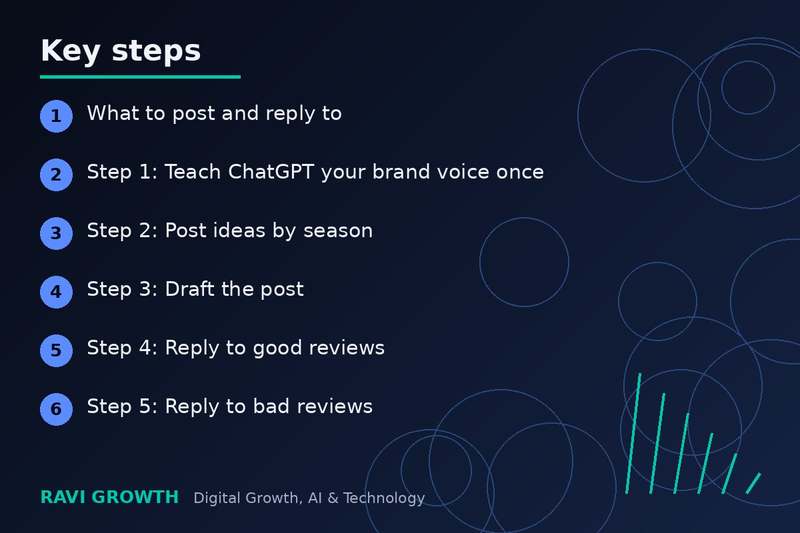
Before writing anything, give it a short brand note. Save it and paste it at the start of each chat.
Brand note: We are [Business], a [type] in [area]. We are friendly, plain-spoken and never pushy. We use simple English with an occasional Hindi word. We never use hype words like "best" or "number one". Our regular customers are [type]. Our opening hours are [hours].
This one paragraph keeps the tone consistent across weeks.
Step 2: Post ideas by season
Ask for a plan, then choose.
Prompt: [Paste brand note.] Give me 12 post ideas for Google Business Profile over the next 3 months in [city]. Link ideas to the season, festivals and local events. For each, say what photo I should add.
Examples a hotel might get: a post about monsoon rooms, a Diwali dinner, a weekday stay offer. A gym might get: a New Year starter plan, a summer early-morning batch, a free trial week.
The photo line is important. Posts with a real photo of your own place are stronger than text alone.
Step 3: Draft the post
Prompt: [Brand note.] Write a Google Business Profile post of about 80 words for this offer. Facts: [offer, dates, price, how to book]. Start with the most useful detail. End with one clear action. Do not add details I did not give.
Check the draft against your facts. If the offer ends on 30 November and the post says 1 December, fix it. A wrong date on a public listing causes arguments with customers.
Step 4: Reply to good reviews
Good reviews need short, specific thanks. Generic copies on every review look automated.
Prompt: [Brand note.] Write a reply of under 50 words to this review. Mention one specific thing the customer said. Do not repeat the same opening as my last replies. Review: "[paste, without surname]"
Ask for two versions and choose one. Change a word or two so it sounds like you.
Step 5: Reply to bad reviews
This is where a draft helps most, because anger makes people write badly.
Prompt: [Brand note.] A customer left this 2-star review: "[paste]". Write a calm public reply of under 90 words. Thank them, acknowledge the specific problem, say what we will do, and invite them to contact us at [email or phone] to fix it. Do not argue, blame the customer or share private details.
Rules for any negative reply:
- Reply within a day or two if you can.
- Never share the customer's booking, payment or health details in public.
- Do not offer compensation you cannot give.
- Move detailed discussion offline.
- If the review is fake or breaks Google's policy, use Google's report option instead of arguing.
Step 6: Keep a record
Keep a simple sheet with columns: date, type (post or reply), draft text, who approved, date published. It helps you avoid repeating yourself and it is useful when a staff member takes over.
Step 7: Check the facts every time
ChatGPT does not know your price list or your opening hours unless you tell it. It may also add friendly claims such as "voted the best in town" or "award-winning" that you cannot prove. Before publishing, check:
- Prices, dates and times.
- Names of dishes, rooms or classes.
- Any claim that sounds like a ranking, award or guarantee.
- Phone number and booking link.
- Spelling of local place names.
Remove any claim you cannot prove. Customers and regulators can both punish false claims.
Do not write fake reviews
Never use ChatGPT to create reviews for your own business or to ask staff to post them. It breaks platform rules, can lead to removal of your profile, and damages trust. The honest way is to ask real customers for feedback right after a good visit. ChatGPT can help you write a polite request message to send to them.
Prompt: Write a two-line message asking a happy customer to leave a Google review. Friendly, no pressure, no promise of a reward.
A weekly routine that takes twenty minutes
- Monday: Ask ChatGPT for this week's post draft. Check facts. Add your own photo. Publish.
- Daily, two minutes: Read new reviews. Draft replies for the ones that need care.
- Month end: Look at which posts got views or clicks in your profile insights. Ask ChatGPT for more ideas along the same lines.
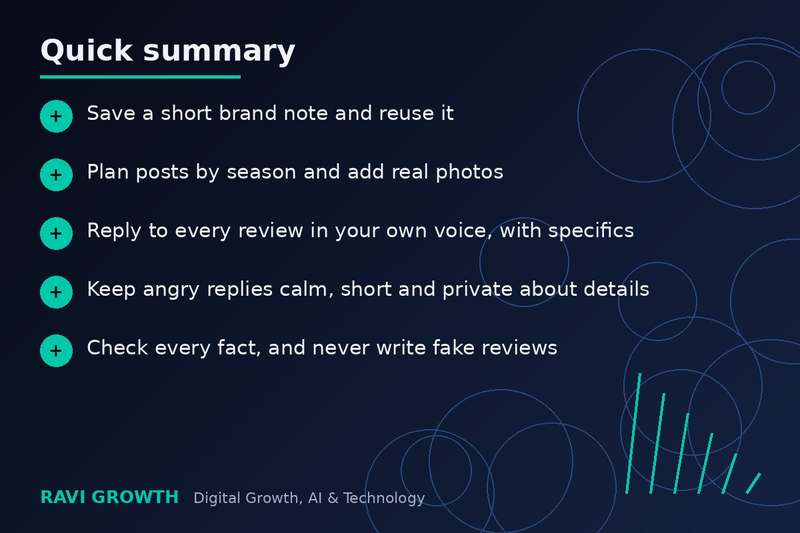
Quick summary
- Save a short brand note and reuse it.
- Plan posts by season and add real photos.
- Reply to every review in your own voice, with specifics.
- Keep angry replies calm, short and private about details.
- Check every fact, and never write fake reviews.
Frequently asked questions
How often should I post? Regularly is better than often. A steady weekly post is easy to keep up. Check Google's guidance for how long posts stay visible.
Should I reply to every review? Aim for yes. Short replies to good reviews and careful replies to bad ones show future customers how you behave.
Can ChatGPT post for me? It drafts text only. You paste and publish it yourself.
Does posting improve ranking? Google does not publish an exact formula. Active, accurate profiles tend to help customers, which is reason enough.
Need help setting up your Google Business Profile and a simple posting routine? Book the free audit with Ravi Growth.