Ravi GrowthGet Started
ChatGPT
How to Use ChatGPT for Your Small Business: 10 Practical Uses
Most owners use ChatGPT like a search box. They type a question, read the answer, and close the tab. That works, but it wastes most of what the tool can do. ChatGPT is better thought of as a fast junior assistant. It writes a first draft in seconds. It does not know your business, and it does not check its own facts. You give it the context and you check the result.
Below are ten daily jobs where it saves real time. Each one has a prompt you can copy and adjust. Replace anything in [square brackets] with your own details.
Before you start: three habits that matter
Give context. Tell ChatGPT who you are, who the customer is and what tone you want. "Write a reply" gives you a generic reply. "Write a reply as the owner of a small family hotel in Jaipur, warm and short" gives you something usable.
Never paste private data. Do not paste customer phone numbers, bank details, passwords or anything you would not put on a public notice board. Use "a customer" instead of a name. Check the data settings in your account.
Treat every answer as a draft. Prices, dates, policies and claims must be checked by you. ChatGPT can sound confident and still be wrong.
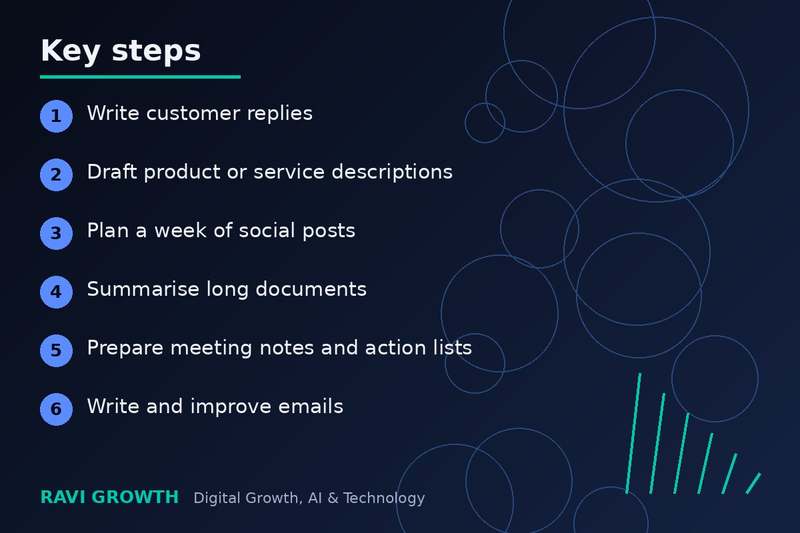
1. Write customer replies
Customers write at all hours. A good first reply is polite, short and answers the actual question.
Prompt: You are the owner of [business]. A customer wrote: "[paste message without personal details]". Write a polite reply in under 80 words. Our policy is [policy]. Do not promise anything outside this policy.
Read it, fix the details, send it. You save the five minutes of finding the right words.
2. Draft product or service descriptions
If you sell twenty items, writing twenty descriptions by hand takes an afternoon.
Prompt: Write a 60-word description for [product]. Facts: [material, size, price, who it is for]. Use simple words. Do not add features I did not list.
The last line matters. Without it, ChatGPT may invent features, and you will be selling something you do not have.
3. Plan a week of social posts
Staring at a blank screen is the real cost. Ask for a plan, then pick the best ideas.
Prompt: I run [business] in [city]. Give me seven Instagram post ideas for next week. Mix: two offers, two behind-the-scenes, two tips, one customer story. Add a one-line caption for each.
For a full month, see our guide on building a social media content calendar with ChatGPT.
4. Summarise long documents
Supplier contracts, government circulars, long email chains. Paste the text and ask for the points that matter.
Prompt: Summarise the text below in 5 bullet points. Then list any dates, amounts and deadlines separately. Text: [paste]
Always open the original and confirm the dates and amounts. A summary is a map, not the territory.
5. Prepare meeting notes and action lists
Type or paste rough notes after a call.
Prompt: Turn these notes into a clean list: decisions made, tasks with an owner and a due date, and open questions. Notes: [paste]
If an owner or date was not in your notes, ChatGPT should say "not stated". Add that line to the prompt: "If something is missing, write 'not stated'. Do not guess."
6. Write and improve emails
Quotation follow-ups, payment reminders, partnership requests. Tone is the hard part.
Prompt: Write a payment reminder to a client who is 15 days late. Keep it firm but friendly. Under 100 words. Invoice number [number], amount [amount].
You can also paste your own draft and ask: "Make this shorter and clearer. Keep my meaning."
7. Brainstorm offers and names
ChatGPT is good at volume. Ask for thirty ideas and take the two that spark something.
Prompt: Give me 20 ideas for a festive-season offer for a [business] with [customer type]. Keep the discount under 15 percent. Note the idea's risk in one line.
The risk line forces it to think about cost, which a plain brainstorm ignores.
8. Create simple training material
New staff need the same ten answers every week. Ask ChatGPT to turn your explanation into a checklist.
Prompt: I will explain how we handle a guest check-in. Turn my explanation into a 10-step checklist for a new employee. Explanation: [paste]
Have your senior person read the checklist before it goes to staff.
9. Translate and adjust tone
If you serve customers in more than one language, ChatGPT gives a good first translation of ordinary business text. For Hindi, Gujarati or other Indian languages, ask for simple everyday wording rather than formal text.
Prompt: Translate this into simple spoken Hindi that a shop customer would understand. Keep it friendly. Text: [paste]
For anything legal or medical, have a fluent person check it.
10. Answer "how do I" questions about your tools
Stuck in Excel, Google Sheets or an accounting app? Describe what you see and what you want.
Prompt: In Google Sheets I have names in column A and sales in column B. How do I show the top 5 sales? Explain step by step for a beginner.
This replaces a lot of searching through forum threads.
What ChatGPT should not do for you
Some jobs need a person.
- Final prices, legal terms and tax advice. Use it to prepare questions for your accountant, not to replace one.
- Medical, safety or compliance claims. A wrong claim can cost you far more than the time saved.
- Fake reviews or testimonials. Never. It harms trust and breaks platform rules.
- Anything with private customer data. Keep it out of the prompt.
A simple routine to start
Pick two of the ten uses above. Use them for one week. Keep a note of the minutes saved and the mistakes you caught. At the end of the week, decide whether to add a third. Small, steady use beats a big plan you drop after three days.
If you want help setting up AI tools for your business in a safe, practical way, Ravi Growth offers a free audit. You can request it from the free growth audit page.
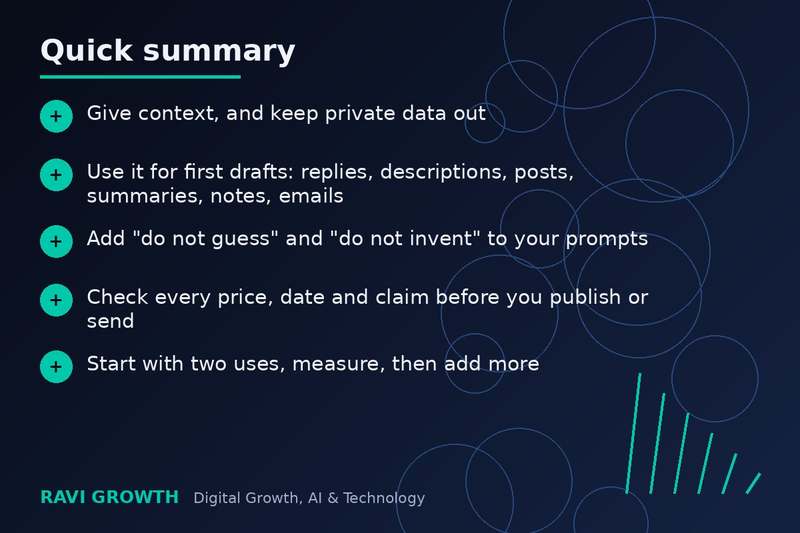
Quick summary
- Give context, and keep private data out.
- Use it for first drafts: replies, descriptions, posts, summaries, notes, emails.
- Add "do not guess" and "do not invent" to your prompts.
- Check every price, date and claim before you publish or send.
- Start with two uses, measure, then add more.
Frequently asked questions
Is ChatGPT free for business use? There is a free plan and paid plans. Features and prices change, so check the current plan page on OpenAI's site before you decide.
Can ChatGPT replace my staff? No. It speeds up drafting. People still decide, check and talk to customers.
Will customers know I used AI? If you edit the draft and add real details, it reads like you. Be honest if a customer asks.
Is my data safe? Do not paste sensitive data. Review the privacy and data-control settings in your account.